Anime Rendering
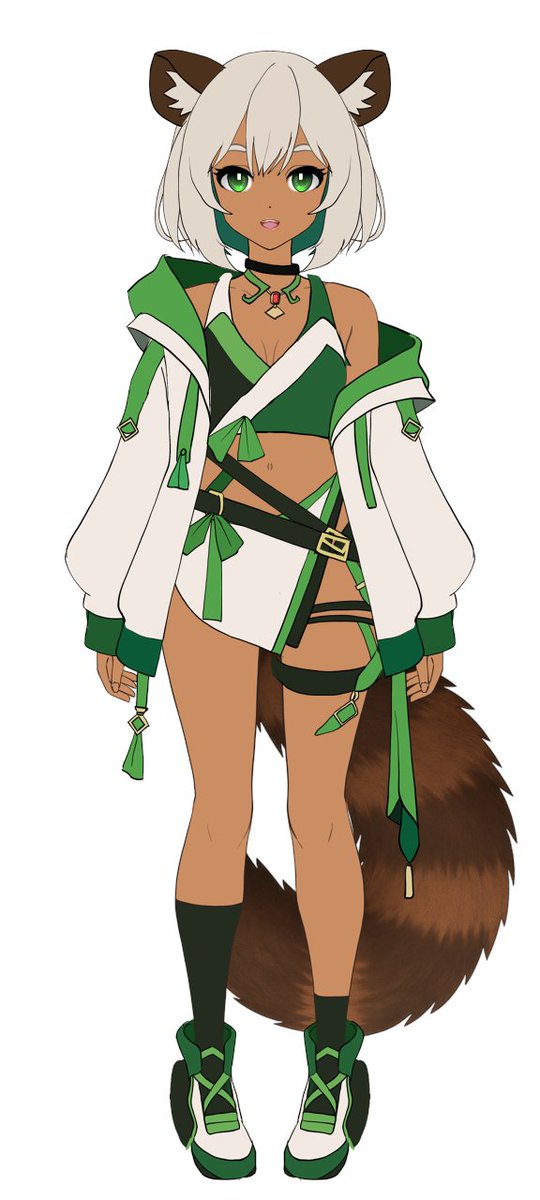
将扁平配色的角色参考图转换为具有戏剧性光影和纯色背景的高渲染度光泽感动漫插画。
Using REFERENCE_0 as the base, transform the flat coloring into a {argument name="rendering style" default="highly detailed, glossy anime illustration style"}. Apply deep shading, dramatic lighting, and bright specular highlights, particularly on the character's skin, hair, and tail. Enhance the clothing folds and give metallic accents a realistic sheen. Change the background to {argument name="background color" default="solid black"}.Using REFERENCE_0, transform the flat-colored character into a {argument name="art style" default="fully rendered, high-quality anime illustration"}. Apply detailed {argument name="lighting effect" default="shading, glossy highlights, and depth"} to the skin, hair, eyes, clothing, and tail to give the 2D design a polished, three-dimensional feel. Add a metallic sheen to the buckles and jewelry. Change the background to {argument name="background color" default="solid black"}. Preserve the character's original design, outfit, and neutral pose exactly as they appear in the reference.以 REFERENCE_0 为基础,将扁平配色转换为 {argument name="rendering style" default="高细节、光泽感动漫插画风格"}。应用深层阴影、戏剧性光影以及明亮的高光,特别是在角色的皮肤、头发和尾巴上。增强衣物褶皱感,并赋予金属装饰真实的质感。将背景更改为 {argument name="background color" default="纯黑色"}。REFERENCE_0을 사용하여 평면 색상의 캐릭터를 {argument name="art style" default="완전 렌더링된 고품질 애니메이션 일러스트"}로 변환합니다. 피부, 머리카락, 눈, 의상 및 꼬리에 세부적인 {argument name="lighting effect" default="음영, 광택 하이라이트 및 깊이"}를 적용하여 2D 디자인에 세련된 3차원 느낌을 부여합니다. 버클과 보석에 금속 광택을 추가합니다. 배경을 {argument name="background color" default="단색 검정"}으로 변경합니다. 캐릭터의 원래 디자인, 의상 및 중립 포즈를 참고 자료에 정확히 유지하십시오.