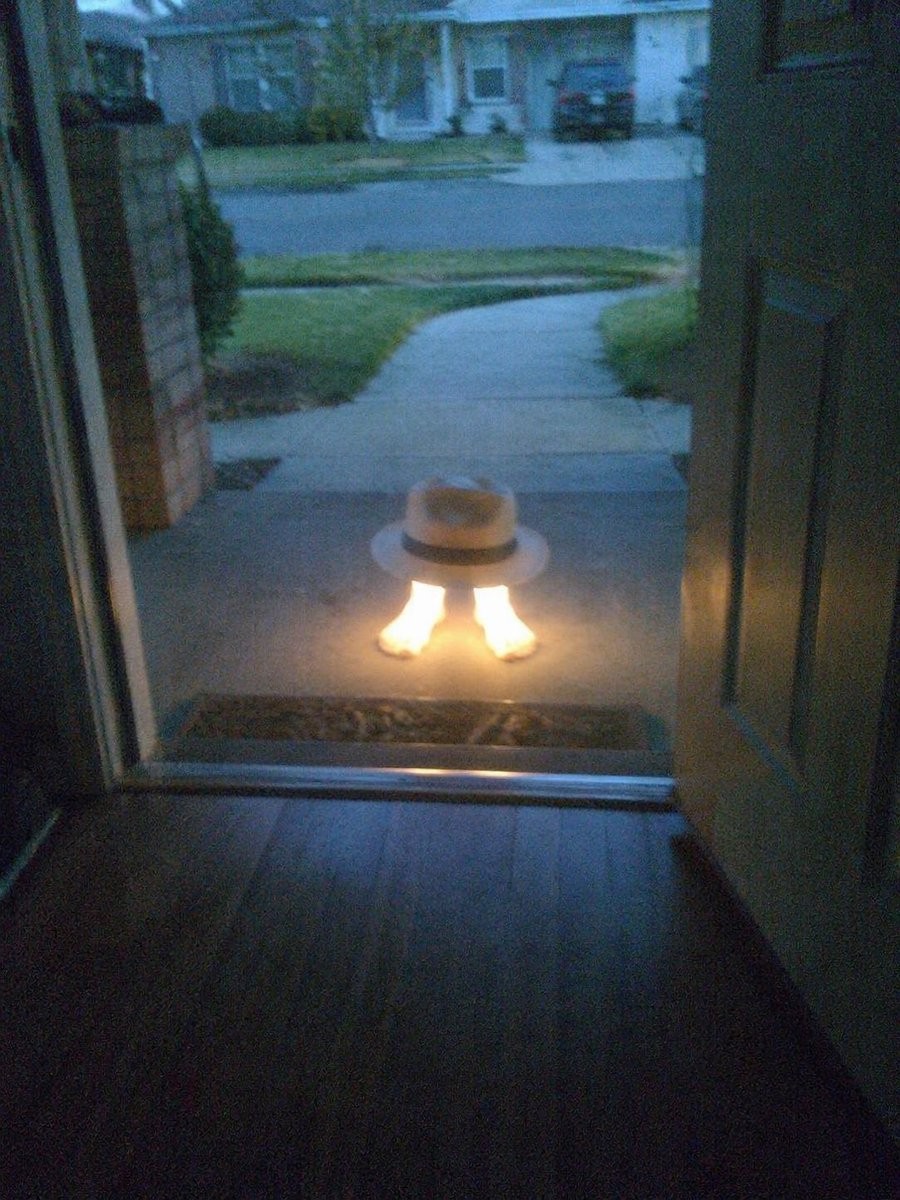
Subject Erasure and Hat Replacement
指示模型从参考图中删除主体的主要部分,仅保留脚部并替换为自定义帽子,同时迁移发光效果。
Using the reference image, completely remove the pelican's body. Replace the traffic cone with a {argument name="hat style" default="white fedora with a black band"} and place it directly on top of the human feet. Apply a strong glowing effect to the feet, making them {argument name="foot effect" default="radiate bright warm light"}. Keep the open doorway framing, the porch setting, and the dusk suburban background intact.使用参考图,彻底移除鹈鹕的身体。将交通锥替换为 {argument name="hat style" default="带有黑色饰带的白色软呢帽"},并将其直接放置在人类脚部上方。为脚部添加强烈的发光效果,使其 {argument name="foot effect" default="散发出明亮的暖光"}。保持开放的门框、门廊环境以及黄昏郊区的背景不变。참조 이미지를 사용하여 펠리컨의 몸을 완전히 제거하세요. 교통 원뿔을 {argument name="hat style" default="검은 띠가 있는 흰색 페도라"}로 교체하고, 인간의 발 위에 직접 놓으세요. 발에 강한 빛나는 효과를 적용하여 {argument name="foot effect" default="밝고 따뜻한 빛을 방출하도록"} 만듭니다. 열린 문틀, 현관 설정 및 황혼의 교외 배경을 그대로 유지하세요.