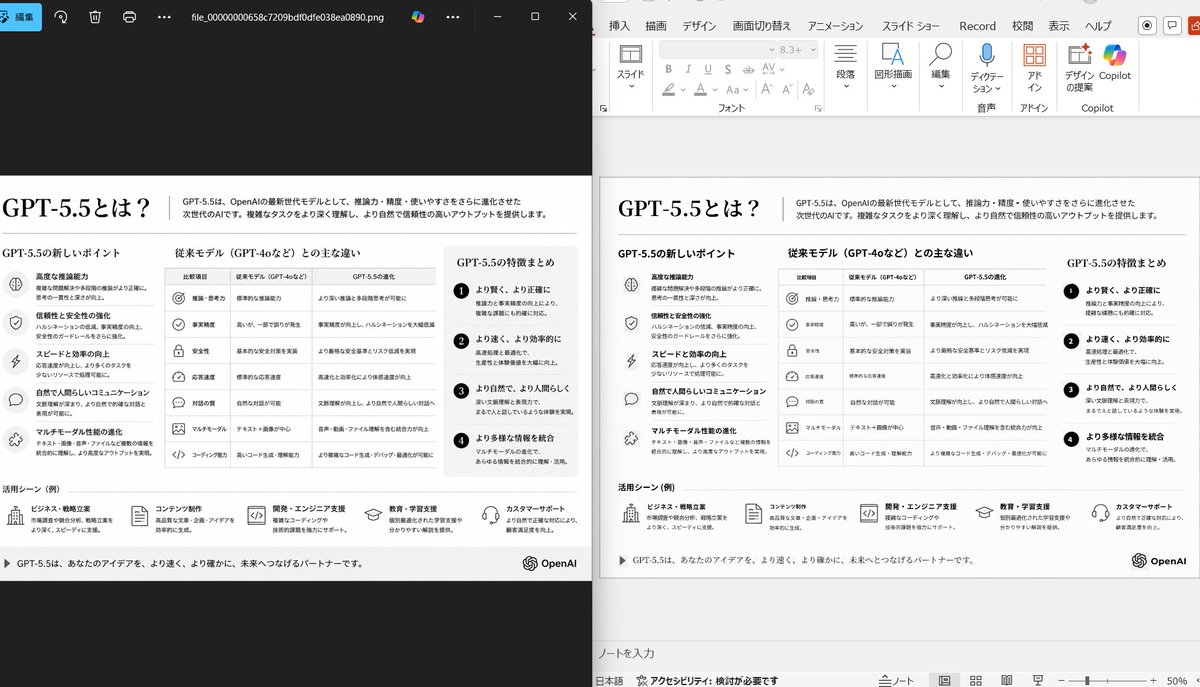
并排 PPT 重构演示
此提示词可生成一张逼真的对比截图,展示如何将杂乱的参考幻灯片清理并重构为规范的 PowerPoint 演示文稿,适用于幻灯片转 PPT 的演示场景。
Using the provided reference image of the PowerPoint slide screenshot, recreate it as a clean, polished slide conversion result inside a side-by-side desktop comparison. Keep the same Japanese slide topic and overall layout, but remove the dense selection handles, edit boxes, and malformed vector artifacts from the reference so the slide appears properly reconstructed. Show 2 panels: on the left, a dark image viewer window displaying the exported slide image; on the right, the same slide opened in PowerPoint editing view. Preserve the original monochrome infographic style and Japanese text structure, but make the typography legible and the icons, dividers, and columns cleanly aligned. Keep the slide as a single-page infographic with 5 main content areas: 1 top title/header row, 3 mid-page comparison columns, 1 bottom use-case row containing 5 icon-labeled items. Include a footer line and the OpenAI logo at bottom right. Emphasize that this is a faithful PPT reconstruction from the uploaded image, with a realistic Windows desktop app screenshot look.
使用提供的 PowerPoint 幻灯片截图作为参考图像,将其重构为一张清晰、精美的幻灯片转换结果,并以桌面并排对比的形式呈现。保持原有的日文幻灯片主题和整体布局,但删除参考图中密集的选择框、编辑框以及变形的矢量伪影,使幻灯片看起来像经过专业重构一样。显示 2 个面板:左侧为显示导出幻灯片图像的深色图片查看器窗口;右侧为在 PowerPoint 编辑视图中打开的同一幻灯片。保留原始的单色信息图风格和日文文本结构,但要确保排版清晰易读,且图标、分隔线和列对齐整齐。将幻灯片保持为单页信息图,包含 5 个主要内容区域:1 行顶部标题/页眉、3 列页面中部对比栏、1 行底部包含 5 个带图标项目的用例行。包含页脚线条,并在右下角添加 OpenAI 徽标。强调这是基于上传图像的忠实 PPT 重构,并呈现出逼真的 Windows 桌面应用程序截图外观。