GPT Image 2 Prompt Gallery README
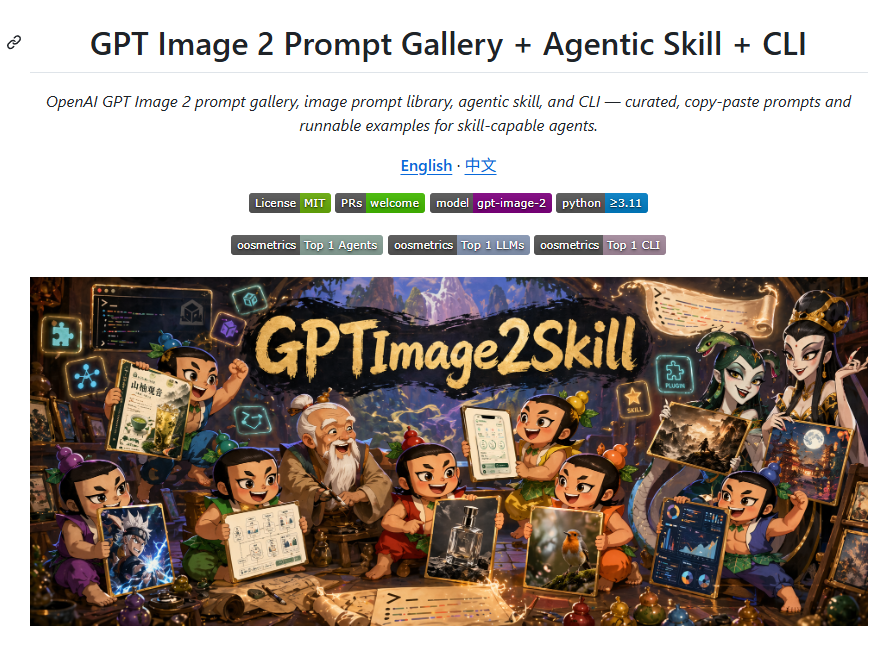
一个 GitHub README 风格的项目落地页截图,包含徽章以及用于 AI 图像提示词工具包的奇幻动漫风格英雄横幅。
Goal: Create a clean GitHub README-style landing page screenshot promoting {argument name="project title" default="GPT Image 2 Prompt Gallery + Agentic Skill + CLI"}, with a centered title area and a large fantasy-anime hero banner underneath.

Canvas: 890×650 px webpage screenshot on a white background, with generous margins and a thin light-gray horizontal divider below the title. Use a crisp browser/documentation aesthetic, no browser chrome.

Layout: Top-left has a small black chain-link anchor icon. Centered at the top is the large bold headline “GPT Image 2 Prompt Gallery + Agentic Skill + CLI”. Under it, place an italic two-line subtitle: “OpenAI GPT Image 2 prompt gallery, image prompt library, agentic skill, and CLI — curated, copy-paste prompts and runnable examples for skill-capable agents.” Below that, centered language links read “English · 中文” in blue underlined link style. Under the language links, place exactly 6 small rectangular status badges in one row: “License MIT”, “PRs welcome”, “model gpt-image-2”, and “python ≥3.11”, with the first two labels split into dark-gray label + green value, the model badge split dark-gray label + purple value, and the python badge split dark-gray label + blue value. Below, place exactly 3 centered ranking badges in one row: “oosmetrics Top 1 Agents”, “oosmetrics Top 1 LLMs”, and “oosmetrics Top 1 CLI”, using dark-gray label segments and muted blue/purple value segments.

Hero banner: Place one large wide rectangular illustration beneath the badges, spanning almost the full content width with small white margins. The banner is a richly detailed fantasy workshop scene in warm cinematic lighting, anime/chibi style, with a black brush-stroke sign across the upper center reading {argument name="banner title" default="GPTImage2Skill"} in large rough gold lettering. The background shows a magical cave workshop with glowing UI panels, floating icons, scrolls, prompt sheets, potion-like colorful orbs, tools, and a mountain landscape opening in the distance.

Characters and objects in the hero banner: Include exactly 8 chibi fantasy characters arranged across the banner, each holding or presenting image-generation artifacts: 1 boy on the left holding a parchment and raising a fist, 1 purple-clothed character at bottom-left holding a dramatic anime image, 1 green-clothed character near lower-left holding a diagram/spec sheet, 1 elderly robed character near center-left, 1 small red-clothed character in the center, 1 green/yellow character near center-right holding a phone-style UI sheet, 1 smiling orange/green character near lower-right holding a realistic bird photo, and 1 blue/green character at far right holding a poster and a dashboard panel. Add several additional partial humanoid figures behind them if needed, but the 8 foreground chibi characters must remain visually dominant. Render the humanoid faces as intentionally blurred or masked soft tan rectangles, as if anonymized, while keeping costumes, poses, hands, and held images sharp.

Visual style: Combine clean documentation page typography with a vibrant high-detail fantasy anime illustration. The page area should be flat and white; the hero image should be saturated, warm, magical, and highly detailed with glowing cyan and gold accents. Keep all visible text legible where specified, avoid adding extra paragraphs, watermarks, logos, or browser controls.
目标:创建一个简洁的 GitHub README 风格落地页截图,用于推广 {argument name="project title" default="GPT Image 2 Prompt Gallery + Agentic Skill + CLI"},包含居中的标题区域以及下方的大型奇幻动漫英雄横幅。
画布:890×650 像素的网页截图,白色背景,留有充足的边距,标题下方有一条细浅灰色水平分割线。采用清晰的浏览器/文档美学风格,不包含浏览器边框。
布局:左上角有一个黑色链式锚点图标。顶部居中位置为醒目的大标题“GPT Image 2 Prompt Gallery + Agentic Skill + CLI”。下方放置两行斜体副标题:“OpenAI GPT Image 2 提示词库、图像提示词库、Agent 技能及 CLI —— 精选的复制粘贴提示词及可运行的 Agent 技能示例。”在语言链接下方,居中显示“English · 中文”,采用蓝色下划线链接样式。在语言链接下方,单行放置 6 个小型矩形状态徽章:“License MIT”、“PRs welcome”、“model gpt-image-2”以及“python ≥3.11”;前两个徽章采用深灰色标签 + 绿色数值,模型徽章采用深灰色标签 + 紫色数值,Python 徽章采用深灰色标签 + 蓝色数值。在下方,单行居中放置 3 个排名徽章:“oosmetrics Top 1 Agents”、“oosmetrics Top 1 LLMs”和“oosmetrics Top 1 CLI”,使用深灰色标签部分和柔和的蓝/紫色数值部分。
英雄横幅:在徽章下方放置一张大型宽矩形插图,横跨几乎整个内容宽度,留有少量白色边距。横幅为细节丰富的奇幻工作室场景,采用温暖的电影级光效,动漫/Q 版风格,上方中央有一块黑色笔触招牌,上面用粗犷的金色大字写着 {argument name="banner title" default="GPTImage2Skill"}。背景展示了一个魔法洞穴工作室,配有发光的 UI 面板、悬浮图标、卷轴、提示词页、类似药水的彩色球体、工具以及远处开阔的山脉景观。
英雄横幅中的角色与物体:横幅中需包含 8 个 Q 版奇幻角色,每个角色都持有或展示图像生成产物:左侧 1 名男孩手持羊皮纸并举起拳头,左下角 1 名身着紫色服装的角色手持一张极具戏剧性的动漫图像,左下侧 1 名身着绿色服装的角色手持图表/规格说明书,中左侧 1 名身着长袍的老年角色,中央 1 名身着红色服装的小角色,中右侧 1 名身着绿/黄色服装的角色手持手机风格的 UI 页面,右下侧 1 名面带微笑的橙/绿色角色手持一张写实鸟类照片,最右侧 1 名身着蓝/绿色服装的角色手持海报和仪表盘面板。如有需要,可在其后方添加少量半身人形轮廓,但 8 个前景 Q 版角色必须保持视觉主导地位。将人形角色的面部渲染为刻意模糊或遮盖的柔和棕褐色矩形,以示匿名,同时保持服装、姿势、手部和所持图像的清晰度。
视觉风格:将简洁的文档页面排版与生动的高细节奇幻动漫插图相结合。页面区域应保持平整的白色;英雄图像应色彩饱和、温暖、充满魔力,并带有发光的青色和金色点缀。确保所有指定的可见文字清晰可辨,避免添加额外的段落、水印、徽标或浏览器控件。