Consistent Character Image Editing Banner
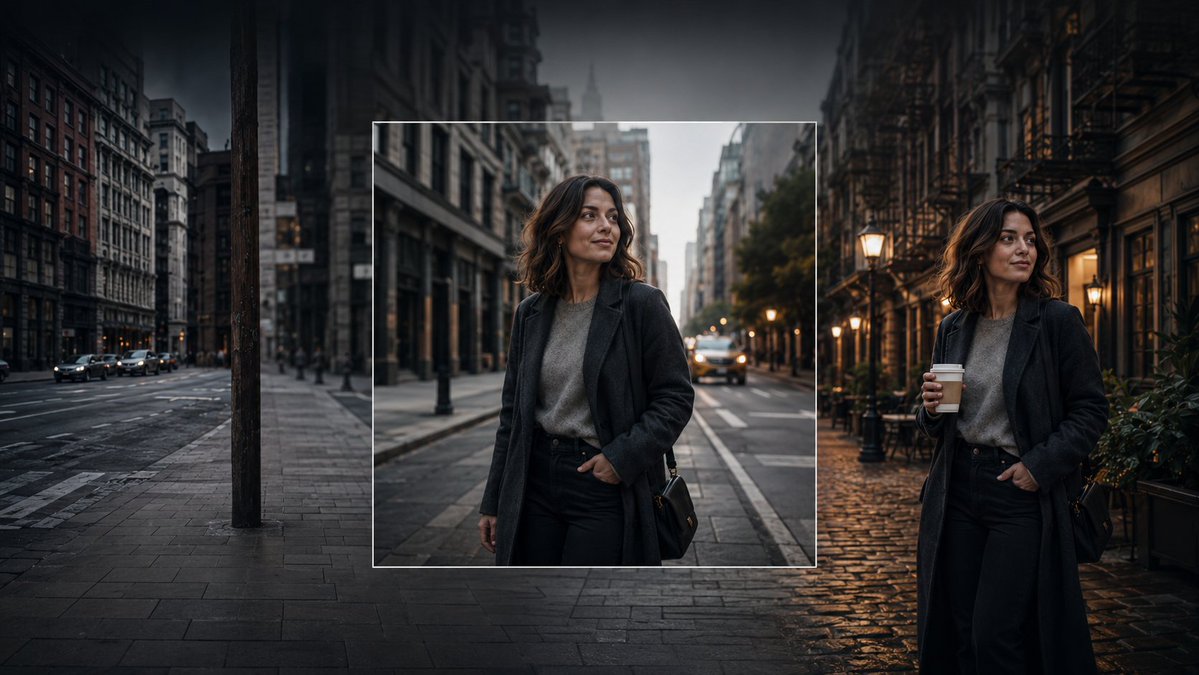
A cinematic photorealistic banner showing a consistent woman character across an original square inset and expanded edited city scenes.
Create a cinematic wide banner image demonstrating AI image editing and consistent character generation. The scene is a moody urban street at dusk in a dense old city, with tall buildings on both sides, wet pavement, parked and moving cars, soft streetlights, and a dark vignette. Show exactly three visual zones across one continuous composition: on the left, a dim empty city street with no main person, desaturated and slightly blurred; in the center, a sharp square inset framed by a thin white border containing a realistic portrait of the same woman standing on a city street; on the right, the same woman appears again full-body in a different but matching street setting, holding a takeaway coffee cup. The woman is {argument name="character name" default="an unnamed stylish woman in her early 30s"}: shoulder-length wavy dark brown hair, medium-light skin, natural makeup, calm confident expression, looking slightly to her left, wearing a long dark charcoal overcoat, gray knit sweater, black high-waisted trousers, and a small black shoulder bag. Make the center inset look like the original generated square image, while the left and right sides look like outpainted extensions and a variation of the same character and style. Use photorealistic editorial photography, shallow depth of field, soft evening light, warm lamps on the right contrasting with cool blue-gray shadows on the left, high dynamic range, cinematic color grading, realistic reflections on wet cobblestones and asphalt. No text, no logos, no UI controls, no watermark.