3D AI Prompt Library 工作空间
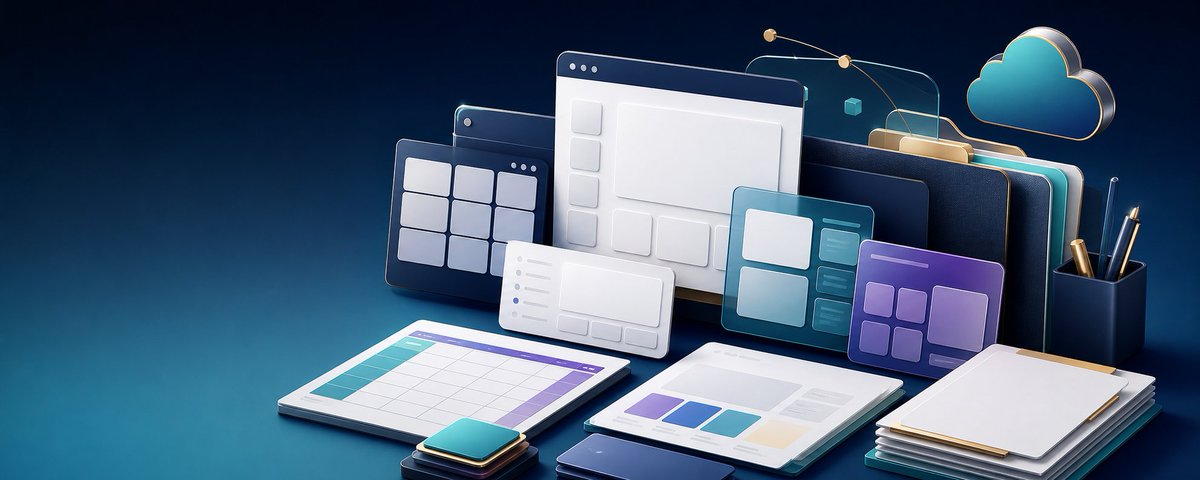
一张优质的 3D 等轴测风格主图插画,展示了悬浮的 UI 卡片、规划平板电脑、文件夹以及云同步元素,适用于创作者工具或 SaaS 视觉设计。
Goal: Create a polished 3D isometric tech workspace illustration showing a reusable AI design prompt library and digital content planning tools.

Canvas: Ultra-wide horizontal banner, approximately 2.5:1 aspect ratio, dark navy-to-teal gradient background, cinematic studio lighting, clean empty margins at the left and top for possible overlay text.

Main subject and layout: Arrange a layered cluster of floating and tabletop productivity elements across the center-right of the canvas. Use {argument name="primary color palette" default="deep navy, teal, cyan, white, violet, and warm gold accents"}. The scene should feel like a premium SaaS/productivity hero image, with soft shadows, glossy bevels, subtle reflections, and rounded corners.

Discrete visible elements: Include exactly 13 main objects: 1 large central desktop browser window with a dark top bar and wireframe layout blocks; 1 dark grid dashboard panel behind it on the left with nine square tiles; 1 small white analytics/card panel in front with left-side list dots and bottom mini buttons; 1 teal UI card on the right with four main content blocks and three narrow side rows; 1 purple UI card farther right with five rounded modules; 1 spreadsheet/calendar tablet lying flat in the foreground left with turquoise row header and purple top bar; 1 open report/document tablet in the foreground center with four colored chart blocks; 1 stacked pile of papers or folders in the foreground right topped by a blank white sheet; 1 small stack of rounded square app tiles in the foreground; 1 dark smartphone or slim rectangular device at the bottom center; 1 large stack of dark binders or file folders standing vertically in the back right with teal and gold edges; 1 floating cloud icon in the upper right outlined with gold rim lighting; 1 dark cylindrical pen cup on the far right containing three writing instruments.

Background accents: Add thin golden orbital connector lines arcing above the panels with three small gold nodes, a tiny cyan cube near the upper right, and translucent glass-like panel outlines behind the main windows. Keep these accents delicate and secondary.

Style: High-end 3D render, rounded clay-like UI components, glassmorphism, soft ambient occlusion, beveled edges, metallic gold highlights, modern creator-tool aesthetic, no people. Use {argument name="lighting mood" default="moody cinematic blue studio lighting with bright cyan rim highlights"} and {argument name="render style" default="premium 3D isometric SaaS illustration"}.

Text constraints: No readable words, no logos, no watermark. Any interface marks should be abstract lines, dots, grids, and blank cards only.

Composition constraints: Keep the main cluster centered slightly right, preserve strong depth layering from flat foreground tablets to floating background panels, keep the cloud in the upper-right corner, and leave the far-left background mostly uncluttered.
目标:创作一张精致的 3D 等轴测科技工作空间插画,展示一个可复用的 AI 设计 Prompt 库和数字内容规划工具。
画布:超宽横向横幅,长宽比约为 2.5:1,深海军蓝至青色的渐变背景,电影级摄影棚灯光,左侧和顶部留有干净的空白区域,以便后续添加覆盖文字。
主体与布局:在画布的中右侧排列一组层叠的悬浮及桌面生产力元素。使用 {argument name="primary color palette" default="深海军蓝、青色、蓝绿色、白色、紫色以及暖金色点缀"}。画面应呈现出高端 SaaS/生产力主图的质感,带有柔和的阴影、光泽斜角、细腻的反射以及圆角设计。
具体可见元素:包含 13 个主要对象:1 个大型中央桌面浏览器窗口,带有深色顶部栏和线框布局块;1 个位于左后方的深色网格仪表盘面板,带有 9 个方形磁贴;1 个位于前方的白色小型分析/卡片面板,带有左侧列表点和底部迷你按钮;1 个位于右侧的青色 UI 卡片,带有 4 个主要内容块和 3 行窄侧行;1 个位于更右侧的紫色 UI 卡片,带有 5 个圆角模块;1 个平放在左前方前景的电子表格/日历平板电脑,带有绿松石色行标题和紫色顶部栏;1 个位于中央前景的打开的报告/文档平板电脑,带有 4 个彩色图表块;1 叠位于右前方前景的文件或文件夹,顶部是一张空白白纸;1 小叠位于前景的圆角方形应用磁贴;1 个位于底部中央的深色智能手机或细长矩形设备;1 大叠竖立在右后方的深色活页夹或文件夹,带有青色和金色边缘;1 个位于右上角的悬浮云图标,带有金色轮廓光;1 个位于最右侧的深色圆柱形笔筒,内含 3 支书写工具。
背景点缀:在面板上方添加细长的金色轨道连接线,带有 3 个小型金色节点;在右上角附近添加一个小青色立方体;在主窗口后方添加半透明玻璃质感的面板轮廓。保持这些点缀精致且处于次要地位。
风格:高端 3D 渲染,圆润的类黏土 UI 组件,玻璃拟态,柔和的环境光遮蔽,斜角边缘,金属金高光,现代创作者工具美学,无人物。使用 {argument name="lighting mood" default="带有明亮青色轮廓光的高冷电影感蓝色摄影棚灯光"} 以及 {argument name="render style" default="优质 3D 等轴测 SaaS 插画"}。
文字限制:无可见文字,无 Logo,无水印。任何界面标记应仅为抽象线条、点、网格和空白卡片。
构图限制:将主要元素群集中在偏右侧,保持从平面的前景平板电脑到悬浮的背景面板之间强烈的深度层次感,将云图标保持在右上角,并确保左侧背景大部分保持简洁。